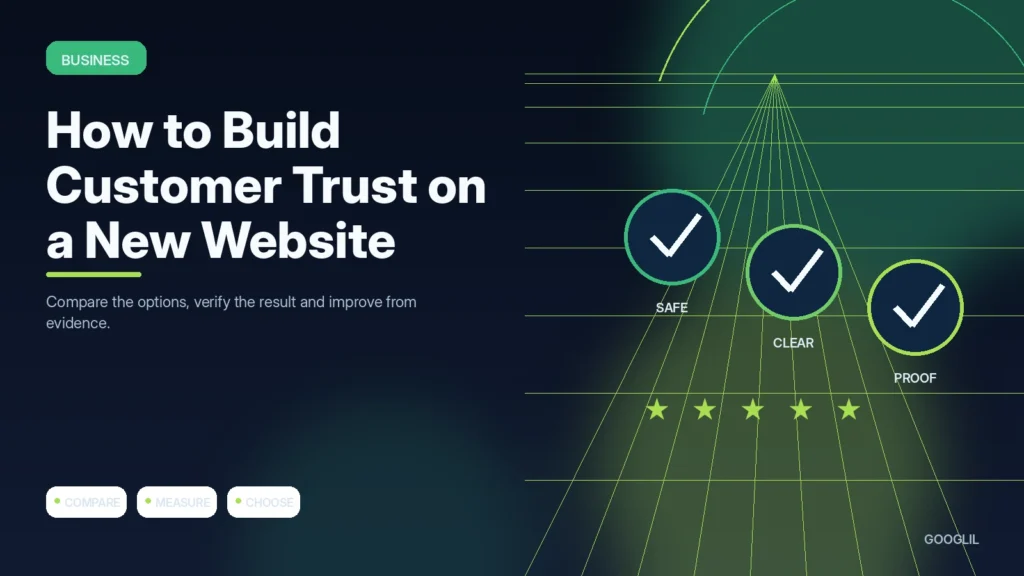
A new website has no long history to rely on, so trust comes from clarity and consistency. Visitors should be able to see who operates the site, what is being offered and what happens if they need help.
1. Show clear ownership and contact details
Make it easy to identify who runs the website and how to contact the business. Use consistent names, a domain-based email where possible, working forms and accurate company details instead of hiding behind generic stock content.
2. Explain services honestly
Describe what the service includes, who it is for, what the process looks like and any important exclusions. Avoid guaranteed outcomes or vague superlatives that cannot be verified; specific deliverables and realistic expectations build more trust.
3. Publish useful policies
Publish policies that reflect how the site actually handles privacy, payments, refunds, delivery, cookies or editorial relationships. Keep them readable and update them when tools or business practices change rather than treating boilerplate as permanent.
4. Use proof carefully
Use real case studies, screenshots, reviews or measurable results only when you have permission and enough context to represent them accurately. Do not invent testimonials, awards, client logos or scarcity signals; misleading proof damages trust faster than having less proof.
Make important information easy to verify
Publish clear contact and ownership information, explain services without inflated guarantees, use policies that match the actual business, protect the site with HTTPS and keep forms working. Use testimonials, case studies or certifications only when they are genuine and represented accurately. Make pricing, limitations or eligibility clear when hiding them would materially change the customer’s decision.
Trust signals for a small service site
A strong service page can show the business name, location or service area, a real contact method, a clear process, examples of work and a privacy policy explaining form data. Those basics often matter more than decorative trust badges with no verification.
Practical example
A new website can build trust before it has years of brand recognition. Use a clear About page, real contact information, transparent policies, specific service explanations and evidence that can be checked. If you show testimonials or case studies, explain the context instead of using anonymous praise. Consistency matters: a professional domain email and named editor strengthen the signals created by the rest of the site.
Use verifiable details to reduce buyer uncertainty
A new website earns trust by making the business easy to understand and verify. State who you serve, what you offer, how the process works and how a customer can contact you. Use a domain-based email, accurate company details and real examples where possible. Avoid invented testimonials, vague awards or stock-photo claims that create more questions than confidence.
Add clear service pages, an About page with accountable people, relevant policies, secure HTTPS and a contact path that works on mobile. Explain pricing or at least the factors that affect it when secrecy creates friction. Show case studies or work samples with permission and describe the actual problem, approach and result. If you use reviews, identify the platform or context rather than presenting anonymous praise as evidence.
- Keep copyright year, addresses, phone numbers and business names consistent across the site.
- Test contact forms and email delivery so trust signals lead to a functioning next step.
- Explain refund, delivery or cancellation expectations before payment when applicable.
- Use clear writing and accessible design; excessive urgency and fake scarcity often reduce credibility.
Track qualified enquiries, form completion and customer questions. Repeated questions about legitimacy, process or payment usually show where the website still lacks trust-building information.
What to avoid when working on building customer trust on a new website
- Fake scarcity. Use transparent, verifiable information. Trust is easier to build than to repair after a misleading claim.
- Copied testimonials. Use transparent, verifiable information. Trust is easier to build than to repair after a misleading claim.
- Hiding important limitations. Use transparent, verifiable information. Trust is easier to build than to repair after a misleading claim.
Quick checklist for building customer trust on a new website
- Show clear ownership and contact details.
- Explain services honestly.
- Publish useful policies.
- Use proof carefully.
Use verifiable details to reduce buyer uncertainty
A new website earns trust by making the business easy to understand and verify. State who you serve, what you offer, how the process works and how a customer can contact you. Use a domain-based email, accurate company details and real examples where possible. Avoid invented testimonials, vague awards or stock-photo claims that create more questions than confidence.
Add clear service pages, an About page with accountable people, relevant policies, secure HTTPS and a contact path that works on mobile. Explain pricing or at least the factors that affect it when secrecy creates friction. Show case studies or work samples with permission and describe the actual problem, approach and result. If you use reviews, identify the platform or context rather than presenting anonymous praise as evidence.
- Keep copyright year, addresses, phone numbers and business names consistent across the site.
- Test contact forms and email delivery so trust signals lead to a functioning next step.
- Explain refund, delivery or cancellation expectations before payment when applicable.
- Use clear writing and accessible design; excessive urgency and fake scarcity often reduce credibility.
Track qualified enquiries, form completion and customer questions. Repeated questions about legitimacy, process or payment usually show where the website still lacks trust-building information.
Frequently asked questions
Do trust badges increase conversions?
Only when they are meaningful and credible. Unverifiable badges can have the opposite effect.
Should I show a physical address?
Show accurate business information appropriate to your model and privacy needs; do not invent or imply a location you do not operate from.
Are guarantees good for trust?
A clear, realistic guarantee can help, but avoid promises you cannot consistently honour or outcomes you do not control.
Keep Learning
Continue with these related guides: