A file naming system should make the newest approved file obvious without opening several versions. Consistent dates, project labels and version states are more reliable than names such as final-final-v2.
1. Use consistent dates
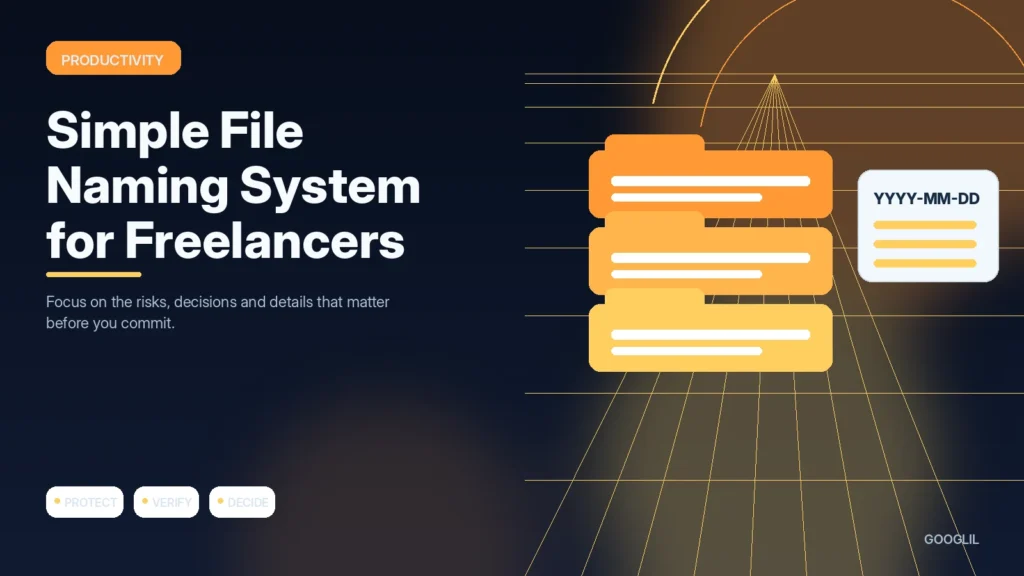
Use one date format, preferably YYYY-MM-DD when dates are part of filenames, so files sort chronologically across systems. Apply dates only when they add useful context, such as delivery, capture or version milestones.
2. Add client or project labels
Include a short, consistent client or project identifier so files remain understandable outside their original folder. Use the same spelling and abbreviations across the team to avoid near-duplicate naming conventions.
3. Use clear version numbers
Use simple versions such as v01, v02 and FINAL only when the workflow genuinely needs them, and avoid creating chains such as final-final-2. For collaborative documents with built-in version history, the filename may not need manual version numbers at all.
4. Archive final deliverables
Move approved deliverables and their essential source files into a clearly labelled archive, separate from drafts and temporary exports. Keep enough context to identify what was delivered, when and in which format without reopening the entire project.
Use a small number of predictable fields
Choose a pattern such as YYYY-MM-DD_Client_Project_Description_v01 and use it consistently. Keep dates in a sortable format, use short project labels and increment versions deliberately. When a deliverable is approved, move it to a final or delivered folder rather than renaming endless drafts ‘final’. Avoid characters that cause problems across operating systems or cloud tools.
Example filename progression
2026-08-17_Acme_HomepageCopy_v01.docx can become v02 after review. Once approved, store the delivered file as 2026-08-18_Acme_HomepageCopy_APPROVED.docx in a delivered folder while drafts remain in the working folder.
Practical example
A simple client file could be named `acme-homepage-2026-08-18-v03.fig`, while the approved export might become `acme-homepage-final-2026-08-18.pdf`. Use one date format, short project labels and controlled version numbers. Avoid filenames such as `final-final-new2`. The goal is for another person to identify the client, asset, date and version without opening the file.
Create file names that remain understandable outside the current project
A reliable naming system helps you recognise a file without opening it. Use a small number of elements in a consistent order, such as client or project, content type, date and version when those details are useful. Avoid names like final-final2 or document-new because they lose meaning as soon as several files exist.
Choose a date format such as YYYY-MM-DD when chronological sorting matters and use short, predictable separators. Keep names readable across Windows, macOS and cloud storage by avoiding problematic special characters. Let folders carry context that does not need to be repeated in every filename. For collaborative work, agree on the convention before many people create variations.
- Use version numbers only when your tool does not already provide dependable version history.
- Include status such as draft or approved only if the team consistently updates it.
- Rename imported camera or scanner files before they become permanent project records.
- Keep the convention written in one short example so new collaborators can follow it.
Search for an old project after several months. If you can find the correct file quickly without remembering who created it, the naming system is doing its job.
What to avoid when working on a file naming system for freelancers
- Using final-final filenames.
- Mixing drafts and approved files.
- Depending on memory.
Quick checklist for a file naming system for freelancers
- Use consistent dates.
- Add client or project labels.
- Use clear version numbers.
- Archive final deliverables.
Create file names that remain understandable outside the current project
A reliable naming system helps you recognise a file without opening it. Use a small number of elements in a consistent order, such as client or project, content type, date and version when those details are useful. Avoid names like final-final2 or document-new because they lose meaning as soon as several files exist.
Choose a date format such as YYYY-MM-DD when chronological sorting matters and use short, predictable separators. Keep names readable across Windows, macOS and cloud storage by avoiding problematic special characters. Let folders carry context that does not need to be repeated in every filename. For collaborative work, agree on the convention before many people create variations.
- Use version numbers only when your tool does not already provide dependable version history.
- Include status such as draft or approved only if the team consistently updates it.
- Rename imported camera or scanner files before they become permanent project records.
- Keep the convention written in one short example so new collaborators can follow it.
Search for an old project after several months. If you can find the correct file quickly without remembering who created it, the naming system is doing its job.
Frequently asked questions
Should filenames include client names?
Use a short client or project code when it helps retrieval and does not expose sensitive information in shared locations.
Do I need version numbers if the app has version history?
Not always, but explicit versions are useful when files are exported, emailed or handed between systems.
What date format is best?
YYYY-MM-DD sorts correctly and avoids ambiguity between day-first and month-first formats.
Keep Learning
Continue with these related guides: