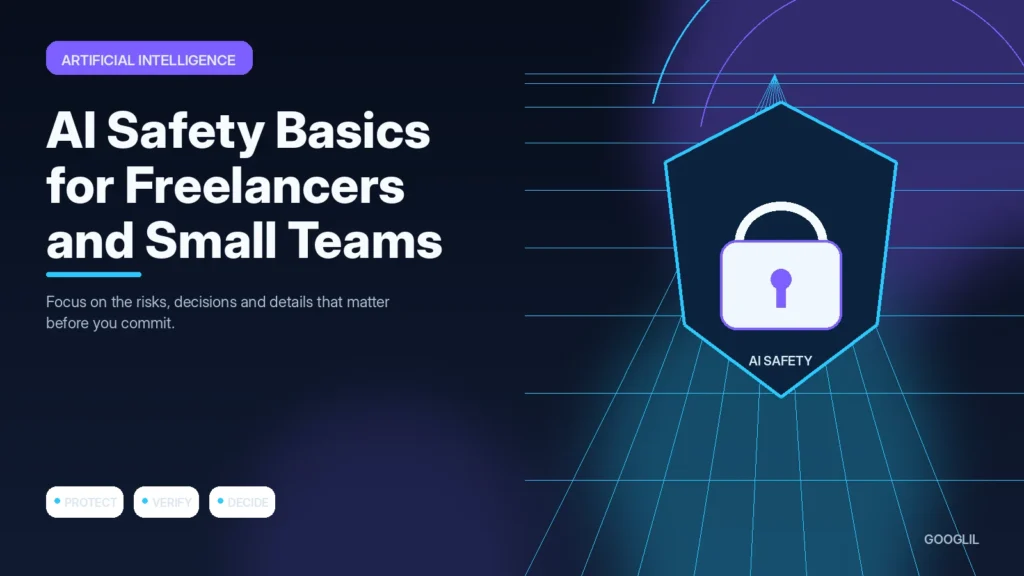
AI safety for a small team is mostly an information-handling problem. Before a prompt is sent, decide what data is allowed to leave your normal systems, who can access the tool and how important outputs will be checked.
1. Classify sensitive information
Classify the information before it leaves your control. Remove names, credentials, client data or other sensitive details when the task can be completed without them.
2. Use approved tools
Use tools your team has deliberately accepted for the type of data involved. A convenient new service should not quietly bypass an existing privacy or security decision.
3. Verify factual outputs
Check important claims against an appropriate primary or authoritative source. Verification matters most when an error could affect money, privacy, security or a customer decision.
4. Document repeatable workflows
Test a real start-to-finish task instead of isolated features. Friction often appears when information must move between capture, editing, collaboration and export.
Create a simple data rule before choosing tools
Classify information into a few practical groups such as public, internal, confidential and restricted. Public marketing copy may be suitable for many tools; passwords, private client records, payment data and unreleased business information usually need much stricter controls. Review the provider’s retention and training settings, and use business accounts or approved workspaces where the risk justifies them.
A safer way to use AI with client work
If you need help rewriting a client support response, remove names, account numbers and unique case details before sharing the text. Keep the original record in the authorised system, use AI only on the minimum necessary text, then compare the draft with the source before sending it.
Practical example
A freelancer may receive a client document containing names, commercial figures and internal plans, then be tempted to paste it into an AI tool for a quick summary. A safer workflow starts by checking the client agreement and the tool’s data settings, removing information the model does not need, and keeping the final human review outside the AI system. If the task can be completed with a short abstract instead of the full document, use the smaller input.
Build AI use around data sensitivity and human review
The safest AI workflow begins before text is pasted into a model. Identify whether the material contains client names, confidential plans, authentication details, personal data, unpublished financial information or licensed content. Then ask whether the task really needs that information. Minimising the input reduces both privacy exposure and the chance that irrelevant context distracts the model.
Use separate rules for low-risk brainstorming and high-risk client work. Check the provider's current privacy and data-retention settings, use approved accounts, and avoid sharing passwords, API keys or payment information. For deliverables that affect customers, contracts, security or money, require a human to verify the source facts and approve the final output. Keep a record of important source links or files used in the review.
- Redact or replace identifiers when the model can complete the task without knowing the real person or company.
- Do not use AI output as evidence for legal, medical, financial or security claims without authoritative verification.
- Limit access to shared AI workspaces and remove former team members promptly.
- Create a simple incident rule so staff know what to do if sensitive information is submitted accidentally.
A good policy is easy to follow during normal work. Review it when tools, client agreements or team responsibilities change, and treat provider documentation as time-sensitive rather than permanent.
What to avoid when working on safe AI use
- Uploading confidential client data. Reduce exposure: use safer access methods, remove sensitive data and share only what the task genuinely requires.
- Ignoring access controls.
- Treating generated text as authoritative.
Quick checklist for safe AI use
- Classify sensitive information.
- Use approved tools.
- Verify factual outputs.
- Document repeatable workflows.
Verification resources
For current implementation details, check the relevant official documentation:
Build AI use around data sensitivity and human review
The safest AI workflow begins before text is pasted into a model. Identify whether the material contains client names, confidential plans, authentication details, personal data, unpublished financial information or licensed content. Then ask whether the task really needs that information. Minimising the input reduces both privacy exposure and the chance that irrelevant context distracts the model.
Use separate rules for low-risk brainstorming and high-risk client work. Check the provider's current privacy and data-retention settings, use approved accounts, and avoid sharing passwords, API keys or payment information. For deliverables that affect customers, contracts, security or money, require a human to verify the source facts and approve the final output. Keep a record of important source links or files used in the review.
- Redact or replace identifiers when the model can complete the task without knowing the real person or company.
- Do not use AI output as evidence for legal, medical, financial or security claims without authoritative verification.
- Limit access to shared AI workspaces and remove former team members promptly.
- Create a simple incident rule so staff know what to do if sensitive information is submitted accidentally.
A good policy is easy to follow during normal work. Review it when tools, client agreements or team responsibilities change, and treat provider documentation as time-sensitive rather than permanent.
Frequently asked questions
Is removing a client’s name enough to anonymise data?
Not always. A combination of project details, dates or unique events can still identify someone, so remove details that are not needed for the task.
Who should approve a new AI tool?
For a small team, one named owner should review data handling, account access, cost and intended use before the tool becomes part of routine work.
What should be logged?
Keep a simple record of approved tools, permitted data types and any workflows where AI output can materially affect a client or business decision.
Keep Learning
Continue with these related guides: