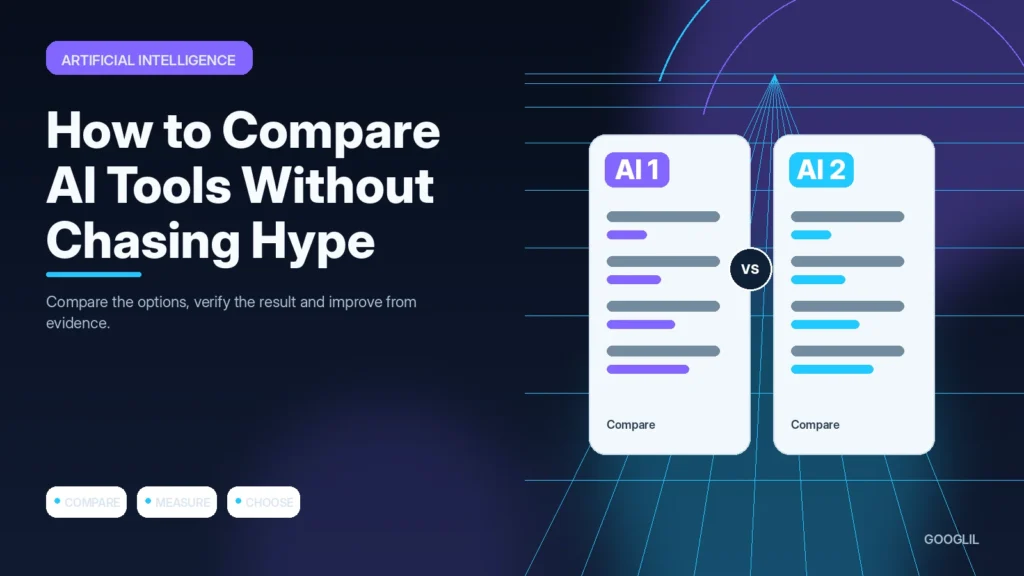
AI tools change quickly, so a feature list becomes outdated faster than a good comparison method. The useful question is whether a tool completes your real task accurately, privately and at a cost that makes sense.
1. Define the job to be done
Write down the exact task you need the AI tool to perform, the inputs it must handle and the result you consider usable. A tool that is excellent at brainstorming may still be poor for long documents, structured data, coding or confidential client work.
2. Test the same task on each tool
Use the same prompt, source material and success criteria for every tool so the comparison is fair. Repeat important tests more than once and record factual errors, instruction-following, revision time and any limits that interrupt normal work.
3. Compare privacy and cost
Read the data-handling options that affect the real workflow, including retention, training controls, account ownership and administrative access.
4. Choose the simplest reliable option
Prefer the tool that completes your recurring tasks reliably with the least extra workflow, cost and risk. A longer feature list is not valuable if the features you actually use are slower, harder to verify or locked behind limits you regularly hit.
Use a repeatable test set
Create three to five representative tasks and run the same inputs through each product. Record result quality, revision time, response consistency, file or context limits, privacy controls and total cost for the expected usage. Keep promotional benchmark claims separate from your own workflow results.
Example scorecard for two AI assistants
For a content team, test summarising a long source, extracting action items, rewriting a paragraph under strict constraints and answering a factual question with citations. A slower tool that needs fewer corrections may be more productive than a faster tool with better-looking demos.
Practical example
To compare two AI tools, give both the same five real tasks: summarising a long note, rewriting a difficult paragraph, extracting structured data, following a formatting instruction and identifying uncertainty. Score each result for accuracy, revision time, consistency and privacy fit. A tool that sounds impressive in a demo but needs heavy correction on your actual work should not win simply because it has more features.
Compare AI tools with the work you actually perform
Feature lists and launch demos are poor substitutes for a controlled comparison. Choose several recurring tasks from your own workflow and give each tool the same inputs, constraints and output format. Include at least one easy task and one task where accuracy, long context or structured output matters. This reveals practical differences that marketing pages rarely show.
Score results on criteria that affect real work: factual errors, instruction following, consistency across repeated runs, revision time, file support, privacy controls, collaboration, export options and total cost. Keep the original prompts and outputs so you can compare later versions. When a tool requires special prompting to look good, include that setup time in the evaluation instead of hiding it.
- Separate model quality from product features such as projects, memory, integrations and team administration.
- Check usage limits and pricing against your normal workload, not a one-off test session.
- Repeat important tasks more than once because a single excellent response may not represent normal performance.
- Prefer the tool that fits your constraints reliably, even if another product wins more benchmark headlines.
Revisit the comparison when pricing, models or policies change. AI products evolve quickly, so a useful review should include the date, test method and limitations rather than claiming a permanent winner.
What to avoid when working on AI tool evaluation
- Buying on feature count alone.
- Ignoring data policies.
- Testing with different prompts.
Quick checklist for AI tool evaluation
- Define the job to be done.
- Test the same task on each tool.
- Compare privacy and cost.
- Choose the simplest reliable option.
Verification resources
For current implementation details, check the relevant official documentation:
Compare AI tools with the work you actually perform
Feature lists and launch demos are poor substitutes for a controlled comparison. Choose several recurring tasks from your own workflow and give each tool the same inputs, constraints and output format. Include at least one easy task and one task where accuracy, long context or structured output matters. This reveals practical differences that marketing pages rarely show.
Score results on criteria that affect real work: factual errors, instruction following, consistency across repeated runs, revision time, file support, privacy controls, collaboration, export options and total cost. Keep the original prompts and outputs so you can compare later versions. When a tool requires special prompting to look good, include that setup time in the evaluation instead of hiding it.
- Separate model quality from product features such as projects, memory, integrations and team administration.
- Check usage limits and pricing against your normal workload, not a one-off test session.
- Repeat important tasks more than once because a single excellent response may not represent normal performance.
- Prefer the tool that fits your constraints reliably, even if another product wins more benchmark headlines.
Revisit the comparison when pricing, models or policies change. AI products evolve quickly, so a useful review should include the date, test method and limitations rather than claiming a permanent winner.
Frequently asked questions
Should I choose the model with the highest benchmark score?
Not automatically. Benchmarks can be useful context, but your own task mix, privacy needs and correction time are usually more relevant.
How long should I test an AI tool?
Long enough to include routine and difficult tasks. A short controlled trial is usually more informative than months of casual use.
What costs should I compare?
Include subscription fees, usage charges, staff review time, integration work and the cost of errors or switching.
Keep Learning
Continue with these related guides: