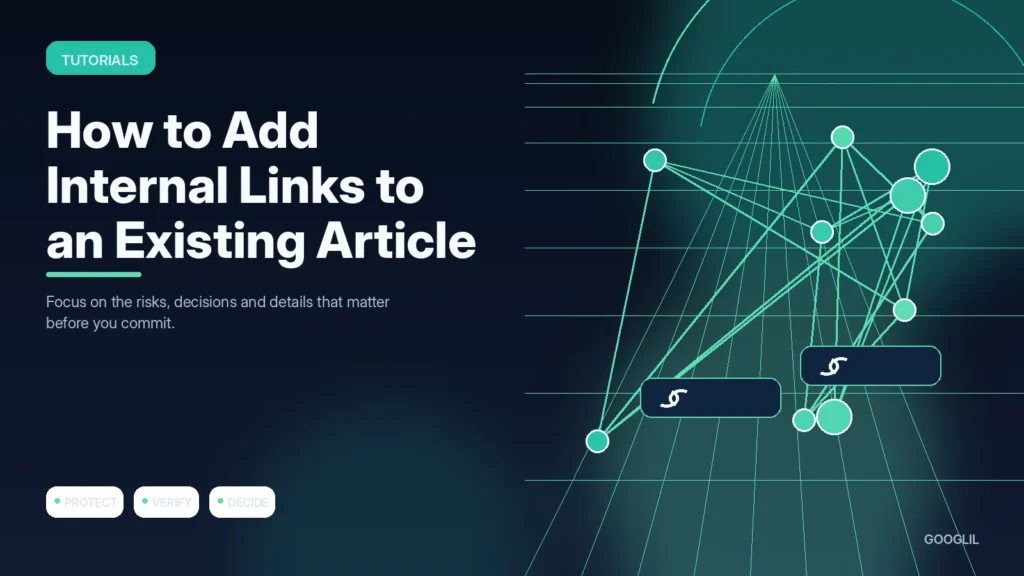
Adding internal links to an old article should improve the reading path, not turn every keyword into an anchor. Start with what the page is trying to accomplish and identify the next questions a reader is likely to have.
1. Identify the page purpose
State the main task the article helps a reader complete before adding links. This makes it easier to distinguish a genuinely useful next page from an unrelated post that happens to share a keyword.
2. Find relevant supporting content
Search your existing site for pages that explain a prerequisite, deeper subtopic, example or next step. Prioritise pages that are current and useful; internal linking should improve the reading path rather than distribute links evenly for its own sake.
3. Place links where they help
Insert the link at the point where a reader is likely to need the supporting explanation, not in a random sentence or a block of unrelated links. A contextual link with a clear reason to click is more useful than forcing a fixed number per article.
4. Use natural anchor text
Write anchors as part of the sentence rather than forcing an exact keyword. Variety and clarity are usually more natural than repeating the same phrase everywhere.
Find links from context, not a quota
Read the article and mark terms, steps or claims that have a useful supporting page elsewhere on the site. Add links inside the relevant sentence with natural anchor text. Also search for older pages that should link back to this article. Avoid repeated exact-match anchors and do not link to a page simply because you want to push its rankings.
Improve a WordPress security article
A section about backups can link to the backup tutorial, while a section about updates can link to the safe plugin update workflow. Those links answer real follow-up questions and distribute discovery across the topic cluster.
Practical example
Open an existing article and identify the points where a reader is likely to need more explanation. If a paragraph mentions canonical URLs and you already have a detailed canonical guide, link there using descriptive anchor text. Avoid adding five links to the same destination just because the keyword appears repeatedly. After editing, click every new link and make sure the destination genuinely advances the reader’s task.
Add internal links where they answer the reader's next question
Start by reading the existing article rather than searching for places to insert keywords. Mark concepts that are explained elsewhere on your site and moments where a reader may need a deeper tutorial, definition or comparison. Choose the strongest relevant destination and write anchor text that describes it naturally in the sentence.
Search your site for candidate pages, check that the destination is current and canonical, and avoid sending several nearby links to nearly identical pages. Add links in both directions when useful: the older article can link to the newer detail, while the supporting page may link back to the broader guide. Update links after consolidation so readers and crawlers reach the final URL directly.
- Prioritise orphan pages and important pages that are hard to reach from related content.
- Avoid forcing exact-match anchor text repeatedly across many posts.
- Do not add a link when it interrupts the sentence without helping the reader.
- Review the article after editing to make sure links are distributed naturally rather than clustered in one paragraph.
Use crawl tools and Search Console to see whether important pages become easier to discover, but keep reader usefulness as the editing rule. Internal links are navigation and context before they are an SEO tactic.
What to avoid when working on adding internal links to an existing article
- Adding links only at the end.
- Repeating exact anchors.
- Linking unrelated pages.
Quick checklist for adding internal links to an existing article
- Identify the page purpose.
- Find relevant supporting content.
- Place links where they help.
- Use natural anchor text.
Add internal links where they answer the reader's next question
Start by reading the existing article rather than searching for places to insert keywords. Mark concepts that are explained elsewhere on your site and moments where a reader may need a deeper tutorial, definition or comparison. Choose the strongest relevant destination and write anchor text that describes it naturally in the sentence.
Search your site for candidate pages, check that the destination is current and canonical, and avoid sending several nearby links to nearly identical pages. Add links in both directions when useful: the older article can link to the newer detail, while the supporting page may link back to the broader guide. Update links after consolidation so readers and crawlers reach the final URL directly.
- Prioritise orphan pages and important pages that are hard to reach from related content.
- Avoid forcing exact-match anchor text repeatedly across many posts.
- Do not add a link when it interrupts the sentence without helping the reader.
- Review the article after editing to make sure links are distributed naturally rather than clustered in one paragraph.
Use crawl tools and Search Console to see whether important pages become easier to discover, but keep reader usefulness as the editing rule. Internal links are navigation and context before they are an SEO tactic.
Frequently asked questions
Should I link the same destination more than once?
Usually one clear contextual link is enough unless the article is long and the second link serves a distinct reader need.
Do internal links need exact-match anchor text?
No. Natural descriptive anchors are easier to read and still communicate relevance.
Should I update old posts when publishing a new one?
Yes. Add links from relevant established pages so the new article is not dependent only on navigation or sitemaps for discovery.
Keep Learning
Continue with these related guides: